4 Video Tutorials – Using Assimilate Live FX with Notch Blocks & NotchLC Workflows!
Four tutorials released in September 2022 cover using Notch Blocks with Assimilate Live FX Studio and SCRATCH for virtual production and finishing.
In brief: Four tutorials published in September 2022 show how Notch Blocks integrate with Assimilate’s Live FX Studio and SCRATCH software across virtual production, finishing, and mastering workflows. The tutorials cover animating and color grading Notch Block 3D environments, QC and playout with full color management, and mastering material in the NotchLC high-performance codec with multiple deliverable outputs. Notch technology powers visuals for artists including U2, Beyoncé, and Ed Sheeran.
Tutorial One: Live FX Studio: Virtual Production with Notch Blocks
In this video we’re showing you how to work with Notch Block 3D environments for virtual production.
Tutorial Two: SCRATCH & Notch Blocks
Learn how to use Notch Block 3D environments in traditional finishing sessions. We’ll go over animating, as well as color grading Notch Blocks in this video.
Tutorial Three: SCRATCH & Notch Block QC and Playout

In this video we’ll show you how you can QC your Notch Block content in SCRATCH, and also output it fully color managed to the big screen.
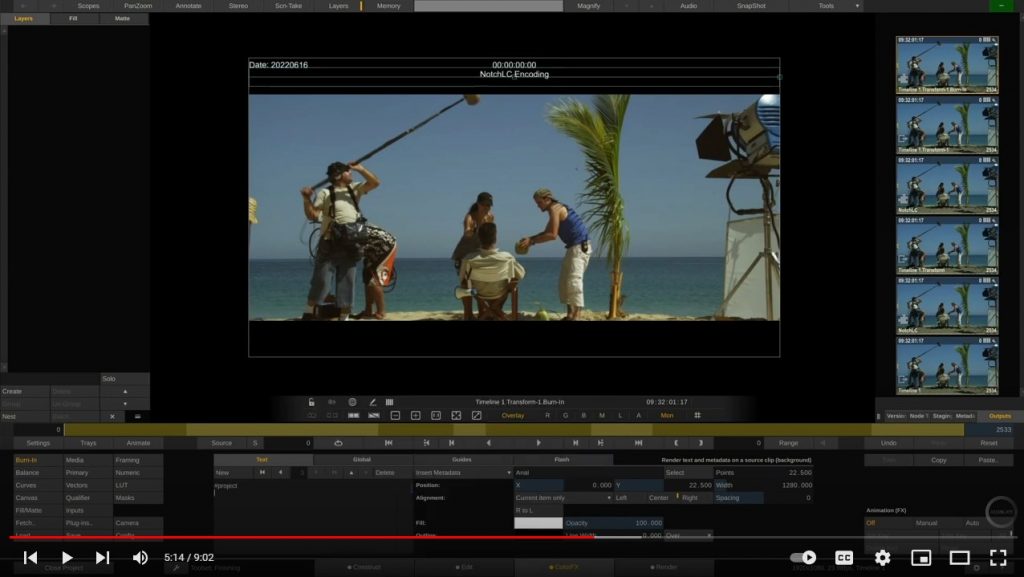
Tutorial Four: SCRATCH & NotchLC Mastering and Transcoding
In this video, we’ll show you how to master and trasncode material in the NotchLC high performance codec. We’ll go over how to create multiple deliverables in different color spaces and versions when encoding NotchLC content.
About Notch
Notch is the game-changing, real-time, visual-creation tool that keeps up with a creator’s ideas. Designed from the creative process up, it puts the creator back in charge of the creative. Powered by high quality real-time rendering as well as reference-level offline rendering techniques, Notch helps creators rediscover the joy of problem-solving, experimenting, and improvising on the fly. Creators can get closer than ever to the thing they’re creating. Feeling the freedom of the creative rhythm, with nothing interrupting the flow. Notch technology powers visuals for acts from U2 to Beyoncé and Ed Sheeran, Eurovision, The Brits, and numerous music events worldwide. Its technology offers solutions for artists, for live and for XR/AR.
www.notch.one
Twitter: @notchvfx
Instagram: @notchvfx (Community hashtag: #MadeWithNotch)
Facebook: Notch VFX
Press contact: info@notch.one
About Assimilate
Assimilate® is the developer of industry leading, cutting-edge on-set and post-production software, including the Scratch finishing suite, Live FX, Live FX Studio and more. With the addition of the latest software releases, Assimilate covers the complete digital-cinema pipeline from camera to post that also perfectly hooks in with third-party software at any point. For almost 20 years, Assimilate has been at the forefront of new digital media technology – whether it is 8K, HDR, VR, stereo-3D or virtual production. Assimilate also features a range of innovative tools that deal with the live camera signal, such as Live Looks for live grading, Live Assist for video assist and Live FX for live compositing and virtual production workflows, which is currently in Open Beta.
For more information, visit www.assimilateinc.com.
Twitter: @assimilateinc
Instagram: @assimilateinc (Community hashtag: #AssimilateSCRATCH)
Facebook: AssimilateInc
Press contact: marketing@assimilateinc.com
Key questions
What does the NotchLC tutorial cover?
It shows how to master and transcode material using the NotchLC high-performance codec, including creating multiple deliverables in different color spaces and versions.
What is Notch used for?
Notch is a real-time visual-creation tool used for live events, XR/AR, and virtual production, powering visuals for artists such as Beyoncé, Ed Sheeran, and events like Eurovision.
What Assimilate products work with Notch Blocks?
Both Live FX Studio and SCRATCH support Notch Block 3D environments, covering virtual production, traditional finishing sessions, and QC playout workflows.